Blitzmemo is a free, open-source voice-to-text app for macOS and Windows. Use your own OpenAI API key to dictate into any text field, in any app.
Note: The UI shown is under development and may differ from the latest version.
Using gpt-4o-transcribe, which is more accurate than previous speech recognition, dramatically reduces the need for post-editing.
Try it now →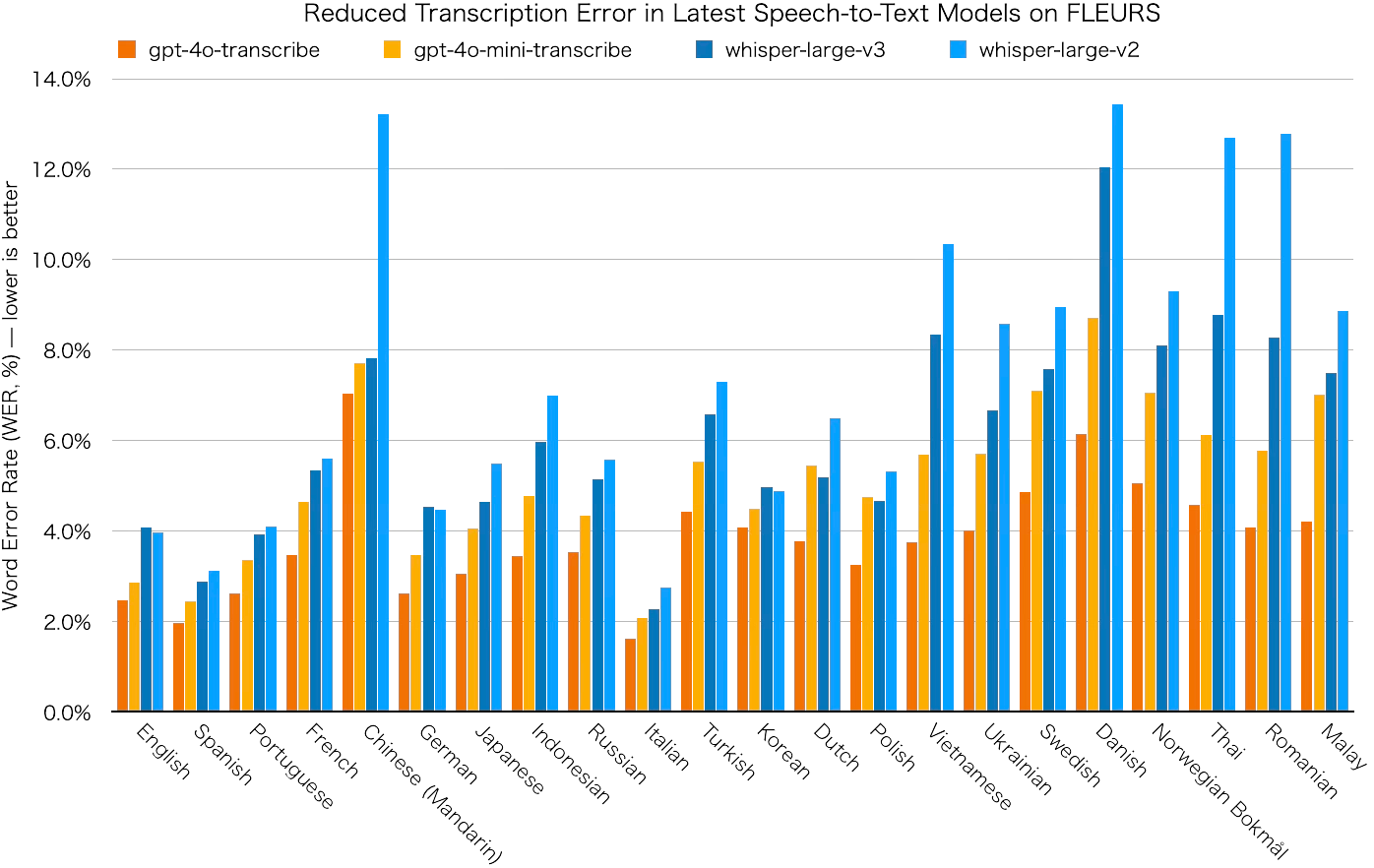
Invoke it with a shortcut and dictate directly into wherever you want to type.
For terms that don’t get recognized well (like technical terms), register them in the dictionary to enable automatic correction. The more you use it, the more it adapts to you.
Try it now →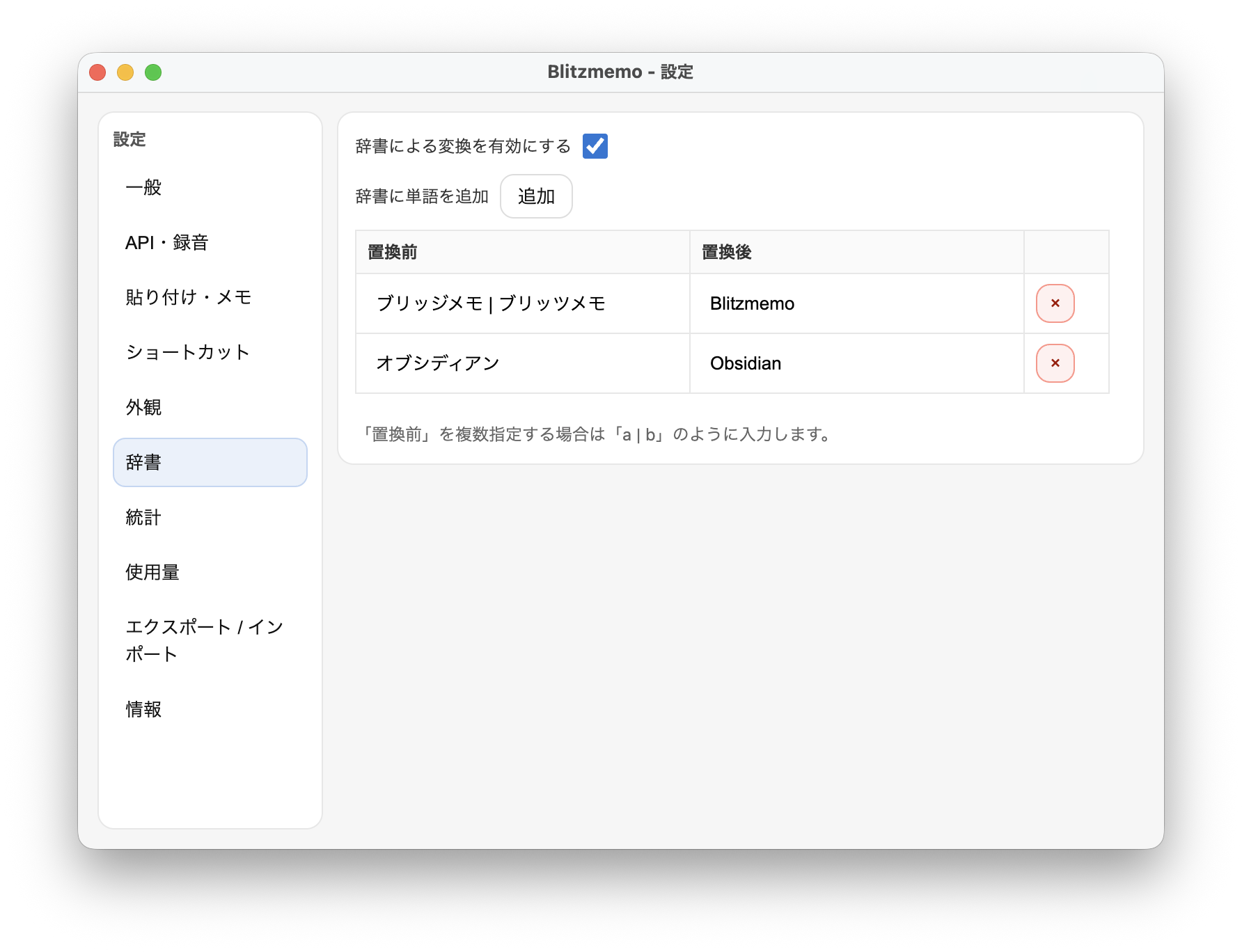
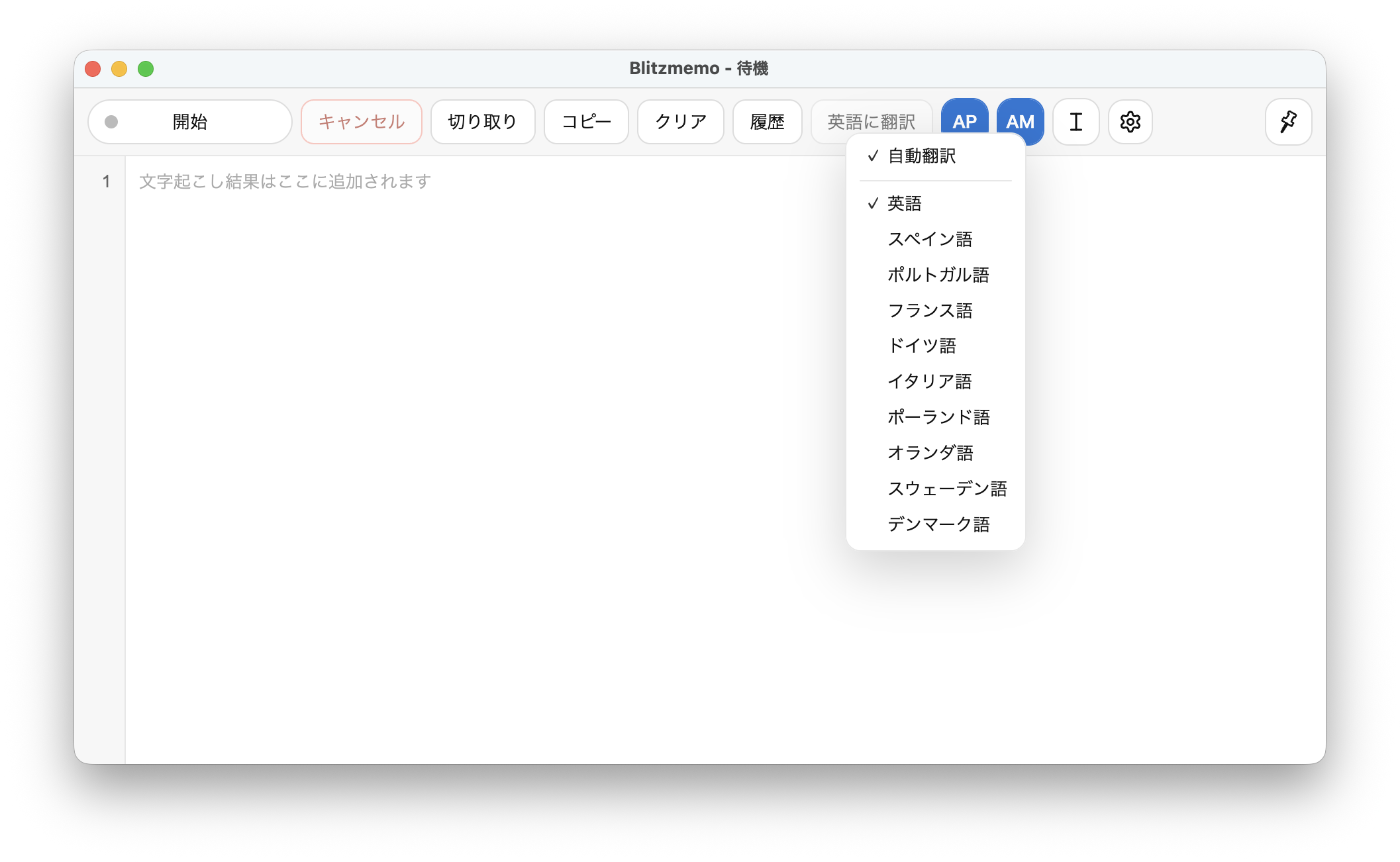
Output what you say directly in another language. For chats and comments that need quick replies, there’s no need to run translation each time.
Accurately recognizes quiet speech. With a mic close to your mouth, you can work even in a café.
Try it now →
View your stats and see how much time you’ve saved on text input.
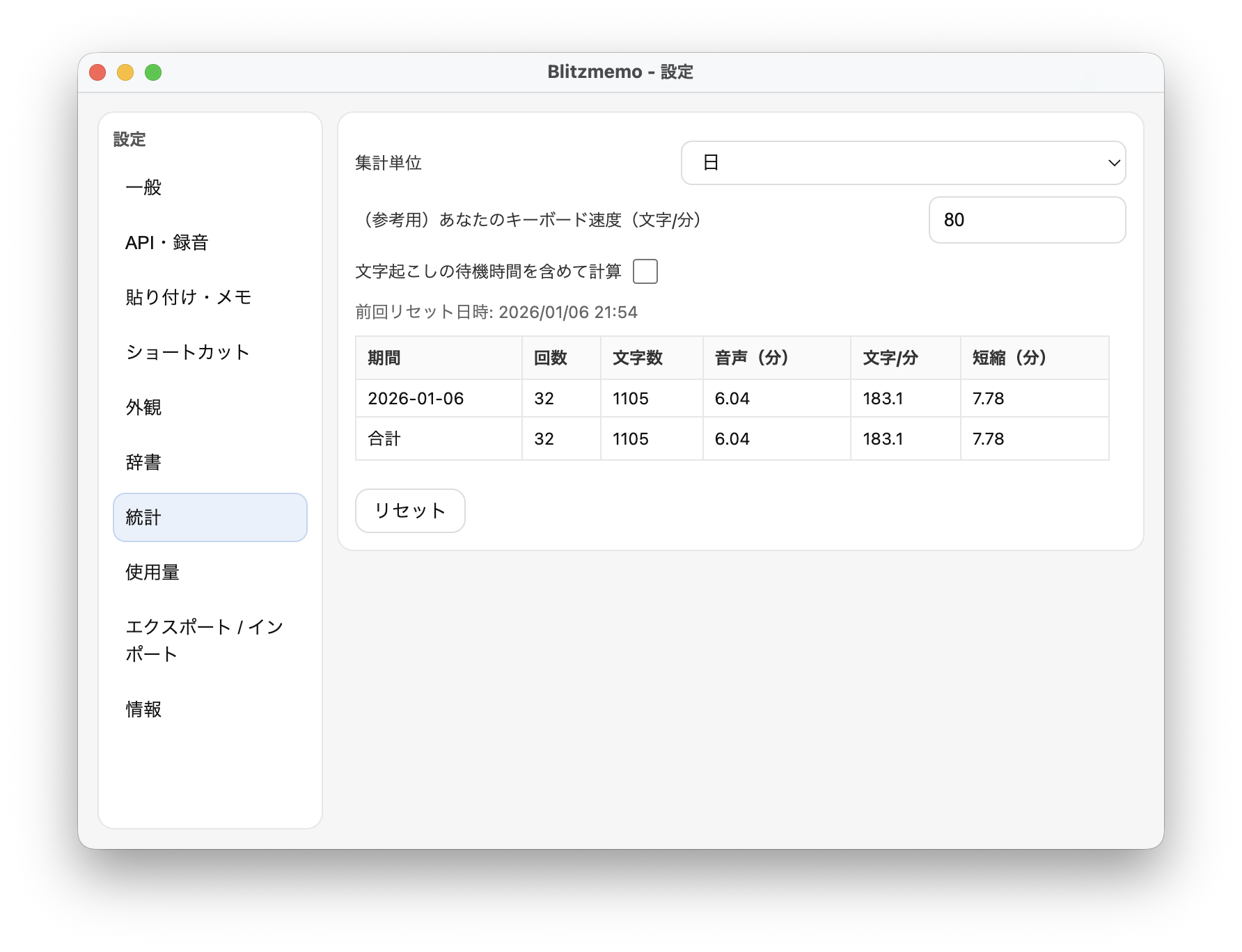
No account with Blitzmemo is required. Bring your own OpenAI API key.
Choose the Mac (Apple Silicon) or Windows download, unzip it, and move Blitzmemo to a permanent location.
Create an API key in your OpenAI account and paste it into Blitzmemo settings. API usage is billed by OpenAI.
Allow microphone access, then use the shortcut to dictate. macOS also requires Accessibility permission to type into other apps. See the FAQ below for security warnings and the privacy policy for data handling.
An OpenAI API key is required.
API usage costs apply (about $0.18–$0.36 USD per hour of voice input).
Source code: GitHub
We’ve summarized common questions and concerns.
The software is provided for free with no feature limitations. If you’d like to support ongoing development, donations are greatly appreciated.
To provide speech recognition and translation, the audio and text you input is sent to OpenAI. The developer does not collect or store personal information. For details, please read the privacy policy.
The developer does not collect or use your input data. How data sent to OpenAI via the API is handled (including whether it is used for training) follows OpenAI’s privacy policy. As of the time of writing, OpenAI states that data sent via the API is not used for training.
Using GPT-4o Transcribe mini instead of GPT-4o Transcribe can reduce transcription costs by roughly half. Note that accuracy may be slightly lower, so choose based on your needs.
Also, if you make a mistake mid-dictation, press Esc to cancel so it won’t be sent to the API.
Rather than speaking for several minutes in one go, pause occasionally and run transcription in parallel with dictation to reduce waiting time.
Also, GPT-4o Transcribe mini may be faster in some cases.
This can happen due to macOS Gatekeeper. If you downloaded Blitzmemo from the official link on this page, you can allow it as follows.
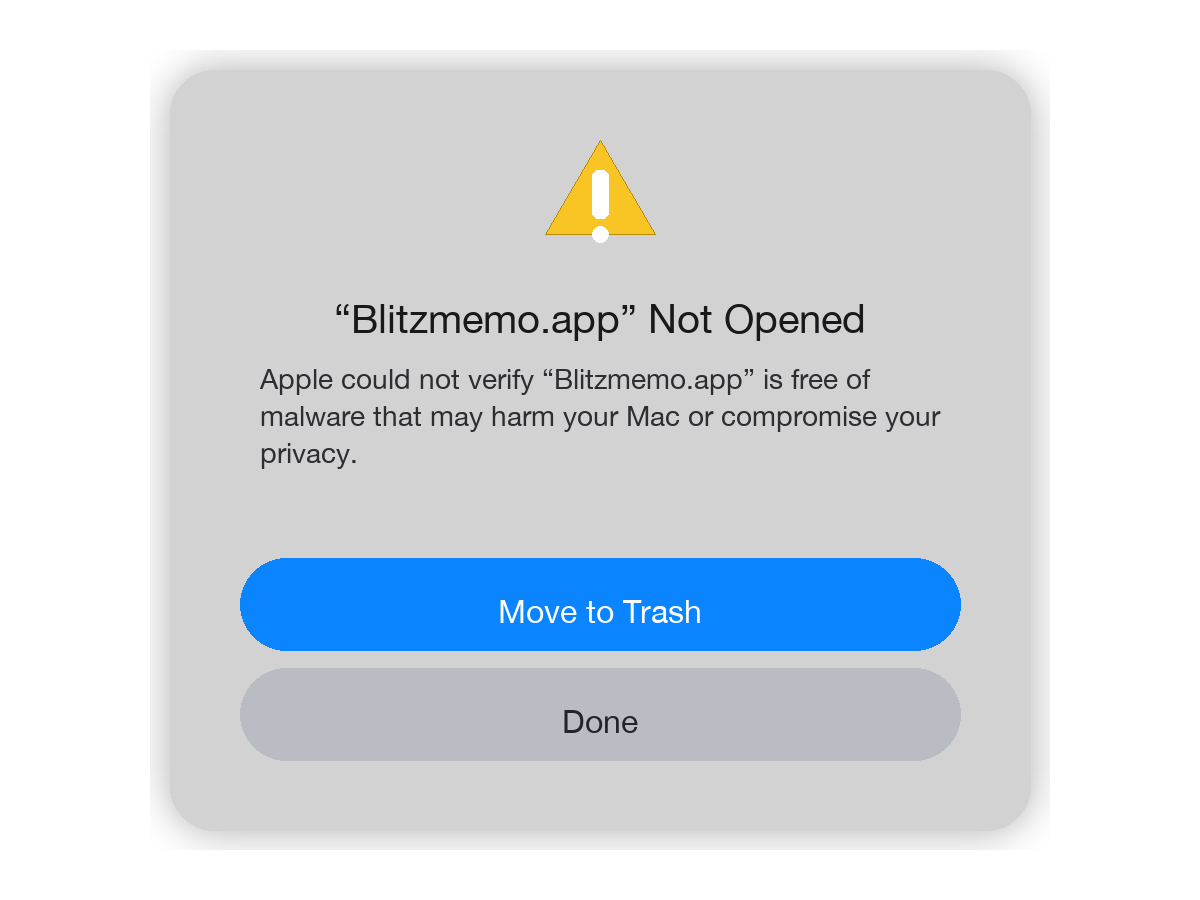
1) Try opening Blitzmemo once so macOS shows the message.
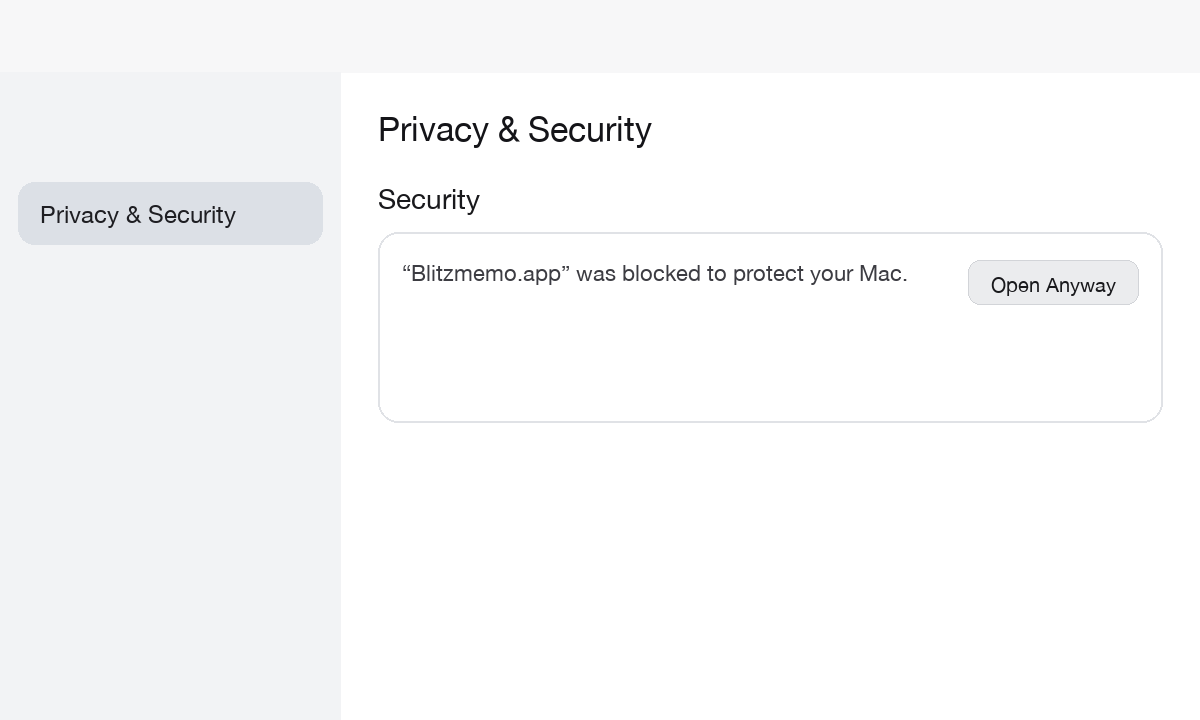
2) System Settings → Privacy & Security → (scroll down) Open Anyway.
3) Confirm by clicking Open (enter your password if prompted).
Yes. You may use Blitzmemo for both personal and commercial purposes, subject to the Terms. For warranty and liability limitations, please see the Disclaimer section in the Terms.